


Description
Download Video Downloader Pro APK – Video Downloader, Free Multimedia Tool, High Quality Video Save, Offline Viewing
Overview
Video Downloader Pro APK is a desktop application designed to help users save video content from online platforms for offline viewing. The software enables users to search for videos using keywords, view them directly within the app, and download them in various formats and resolutions. It is particularly useful for individuals seeking to access video content without an internet connection, such as during commutes, travel, or in areas with limited connectivity. The app is developed by Ishaq M Musa, who positions it as a lightweight and user-friendly tool for casual content consumption.
Target users include general consumers, students, and content enthusiasts who want to archive videos for later viewing. The software supports multiple video formats, including MPEG-4, WebM, and 3GPP, with resolutions ranging from 144p to 720p. Users can select their preferred quality before downloading, which allows for a degree of customization based on storage and bandwidth considerations. The application also provides a dedicated “My Downloads” section to track and manage saved files.
The developer did not provide additional details about the app’s background or development history. Platform compatibility information is limited to the APK format, which suggests it is intended for Android-based devices. The app functions both as a video browser and a downloader, allowing users to search, preview, and save content in one interface. However, it does not support video editing or advanced file management features.
Key Features & Capabilities
- Keyword-Based Video Search – Users can enter a search term to retrieve relevant video results, similar to YouTube’s search functionality.
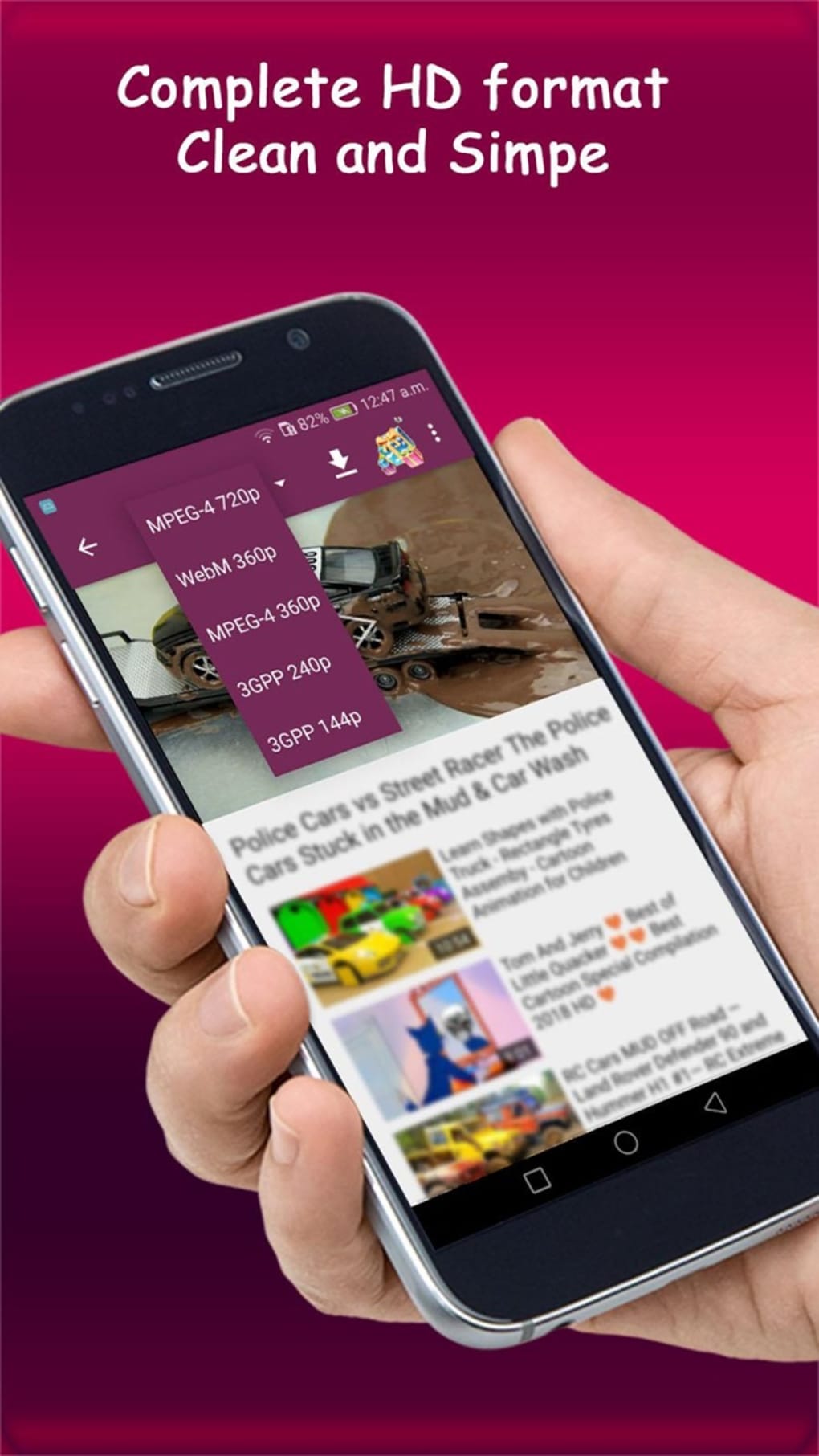
- Multiple Video Quality Options – The app supports various resolutions, including 720p, 360p, 240p, and 144p, allowing users to balance quality and file size.
- Format Flexibility – Downloads can be saved in multiple formats such as MPEG-4, WebM, and 3GPP, increasing compatibility with different devices and players.
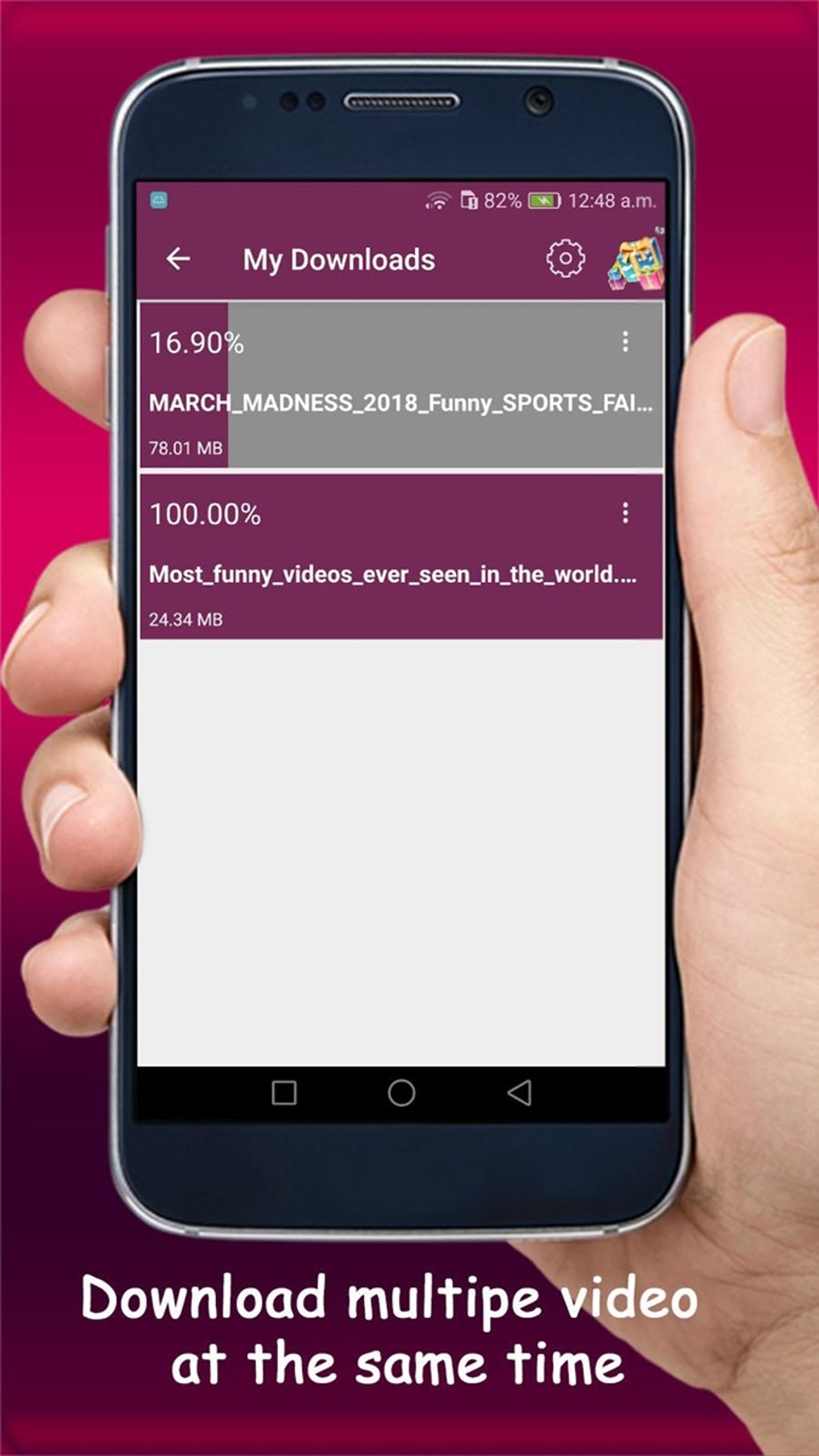
- Download Progress Tracking – A built-in progress indicator shows download status and file size in the “My Downloads” section.
- Simultaneous Downloads – The app allows multiple videos to be downloaded at once, improving workflow efficiency for bulk saving.
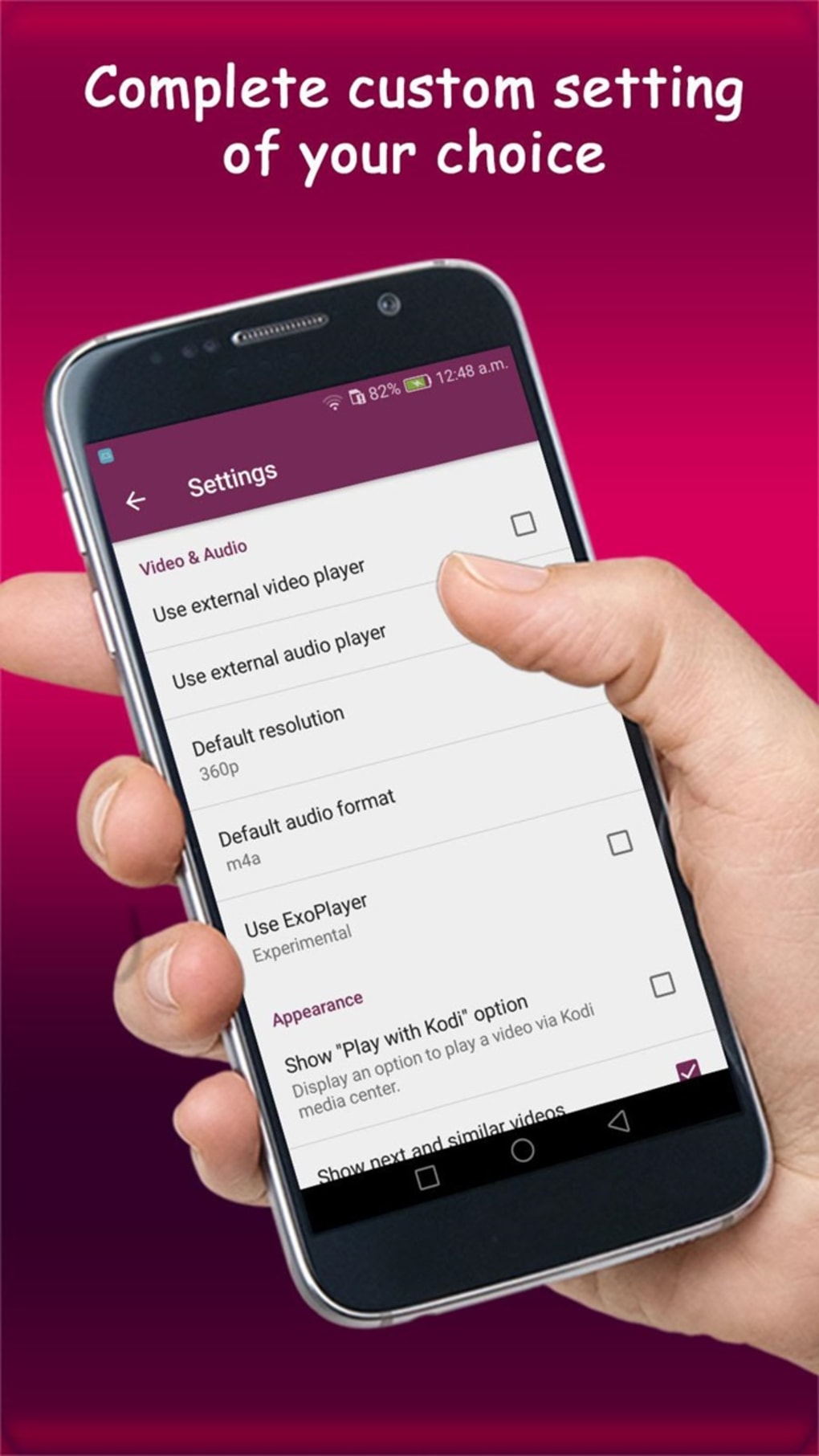
- External Player Integration – Users can enable options to open videos in an external video or audio player, enhancing playback flexibility.
- Default Settings Customization – Settings include options to set default resolution, format, and player preferences.
These features collectively support a streamlined experience for saving and accessing video content. For example, a student might use the app to download educational lectures in 720p for offline study, while a traveler could save entertainment videos for long flights. The ability to choose quality and format gives users control over storage usage and playback performance. However, the absence of advanced tools such as video editing or metadata tagging limits its functionality for power users.
User Interface, Workflow & Performance
Video Downloader Pro features a clean and minimal interface, with essential functions clearly displayed. The main screen includes a search bar, a list of results, and a download button located at the top of the screen. A dropdown menu next to the download icon allows users to select video quality and format before initiating a download. The layout avoids clutter, making it accessible even for non-technical users.
Navigating between search results, previewing videos, and managing downloads is intuitive. The workflow is linear: search → preview → select quality → download → access in “My Downloads.” This simplicity enhances usability and reduces the learning curve. However, the developer did not specify resource usage details, so performance behavior under load remains unclear. General software behavior suggests the app operates efficiently on modern Android devices, but actual CPU or RAM usage was not documented.
Stability appears to be consistent during standard use, but the lack of ongoing support raises concerns about long-term reliability. The app may not receive updates to address compatibility issues with newer operating systems. Users should expect occasional disruptions if the underlying platform changes. No performance benchmarks or crash reports were provided by the developer.
Compatibility & System Requirements
Video Downloader Pro is distributed as an APK file, indicating it is intended for Android-based devices. The software does not specify a minimum OS version or hardware requirements. The installation size is not provided, so users cannot assess storage impact in advance. Compatibility with specific Android versions or device types remains unconfirmed.
Exact system requirements were not listed. The developer did not provide details on supported processors, RAM, or storage space. As such, users should exercise caution when installing on older or low-end devices. The app’s reliance on external platforms for video sources means it may not function properly if those platforms change their content delivery methods.
Platform compatibility information is limited. The app is not available through official app stores, which may affect security verification and update delivery. Users should ensure they are downloading from trusted third-party sources to avoid potential risks.
Pros and Cons
Pros
- Simple and clean user interface with intuitive navigation
- Supports multiple video formats and resolutions for flexible downloads
- Allows simultaneous downloads for improved efficiency
- Offers customization of default settings like resolution and player
- Enables offline viewing of saved content
Cons
- Lacks password protection for downloaded video files
- No built-in video editing tools
- Not supported by the developer anymore; outdated version
- Redirects to an error page when attempting to update via Play Store
- Not available on official app stores, raising security concerns
FAQ Section
Is Video Downloader Pro safe to download and use?
The app is distributed as an APK, which means it is not hosted on official app stores. Users should download from trusted third-party sources to minimize the risk of malware. The developer no longer supports the app, which may affect long-term security.
Can I download videos in 1080p quality?
The available quality options include up to 720p. There is no indication that 1080p is supported. Users should verify the available formats during download.
Does the app require an internet connection?
Yes, an internet connection is required to search for videos and initiate downloads. Once downloaded, videos can be viewed offline.
Is Video Downloader Pro available on the Google Play Store?
The app is not currently available on the Google Play Store. Attempts to update through the Play Store result in an error page.
Can I edit downloaded videos within the app?
No, the app does not include video editing tools. Users must use third-party applications like KineMaster or PowerDirector to modify downloaded content.
Final Thoughts
Video Downloader Pro APK offers a straightforward and accessible way to save online videos for offline viewing. Its clean interface, multiple format options, and support for simultaneous downloads make it a practical tool for casual users. However, the lack of ongoing developer support, absence of privacy features, and limited functionality significantly reduce its long-term viability.
While the app delivers a seamless experience during basic use, its outdated status and security risks make it a questionable choice for users prioritizing reliability and data protection. For those who need a free, no-frills video downloader and are comfortable with third-party APKs, it may still serve a temporary purpose. However, users should consider alternative tools with active development and better security practices.
Download Video Downloader Pro now
Guides & Tutorials for Video Downloader Pro APK
How to install Video Downloader Pro APK
- Click the Preview / Download button above.
- Once redirected, accept the terms and click Install.
- Wait for the Video Downloader Pro APK download to finish on your device.
How to use Video Downloader Pro APK
This software is primarily used for its core features described above. Open the app after installation to explore its capabilities.
User Reviews for Video Downloader Pro APK 0
No reviews found





